- Aug 16 Thu 2012 20:32
-
【Oracle DB】備份及還原指令
- Aug 15 Wed 2012 15:02
-
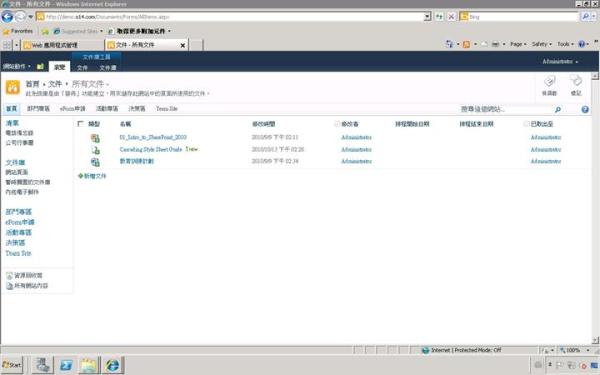
【SharePoint2010】顯示pdf圖示
- Aug 15 Wed 2012 08:00
-
【Oracle DB】 安裝 Oracle 11g R2 時遇到 File not found WFMLRSVCApp.ear 錯誤訊息

- Aug 13 Mon 2012 10:07
-
【網路】[Buffalo WCR-GN / WCR-HP-GN] 如何設定為無線橋接模式(Wireless Access point)

WCR-GN / WCR-HP-GN] 如何設定為無線橋接模式(Wireless Access point)
WCR-GN 韌體版本 Ver.1.04(R4.20/B1.13) /
WCR-HP-GN 韌體版本 Ver.1.00(R0.06/B1.13)
WCR-HP-GN 韌體版本 Ver.1.00(R0.06/B1.13)
- Aug 10 Fri 2012 15:33
-
【Win XP】電腦能進入BIOS,但無法進入XP
- Aug 06 Mon 2012 17:39
-
【VMware】VMware view 5安裝及設定
Reference:http://www.dotblogs.com.tw/sungnoone/archive/2011/12/07/61129.aspx
- Jul 26 Thu 2012 14:36
-
【AD】設定IE Cache
1. 利用GPO於使用者登入時執行批次檔 (使用2、3語法)。
2.將瀏覽器「檢查儲存的畫面是否有較新的版本」,改為「每次查閱時」 :
[HKEY_CURRENT_USER\Software\Microsoft\Windows\CurrentVersion\Internet Settings]"SyncMode5"=dword:00000003
3.將網頁暫存空間 Temporary Internet file 設定為 5MB:
[HKEY_CURRENT_USER\Software\Microsoft\Windows\CurrentVersion\Internet Settings\5.0\Cache\Content]
"CacheLimit"=dword:00005000
4.將網頁暫存於瀏覽器關閉時清除:
使用者設定 > 系統管理範本 > Internet Explorer > 網際網路控制台 > 進階分頁 > 【瀏覽器結束時清理Temporary Internet Files資料夾】> 啟用
註:說明REG與BAT檔寫法
REG檔寫法:(檔名為ie.reg)
Windows Registry Editor Version 5.00
[HKEY_CURRENT_USER\Software\Microsoft\Windows\CurrentVersion\Internet Settings]
"SyncMode5"=dword:00000003
[HKEY_CURRENT_USER\Software\Microsoft\Windows\CurrentVersion\Internet Settings\5.0\Cache\Content]
"CacheLimit"=dword:00008000
BAT檔寫法:(檔名為ie.bat)
REGEDIT /S ie.reg
- Jul 23 Mon 2012 09:22
-
【Acronis】Acronis vmProtect備份失敗
狀況說明:
今日檢查系統Log,發現備份失敗,錯誤訊息如下:
Message: The drive is not ready.
Details:
Code: 27066484 (0x019D0074)
Line: 836463A653DED97C
Message: An error has occurred while executing command 'file_browse_async'.
============
Code: 27066457 (0x019D0059)
Line: AC471D05F22A8C35
Message: An error has occurred while getting directories for path: 'avfs:/smb?//server/'.
============
Code: 27787268 (0x01A80004)
Line: 10F02767C7826ACA
Message: Failed to get the directories list.
============
Code: 9568343 (0x00920057)
Line: 4D7F75FCDE07D674
Message: Failed to get files.
============
Code: 9568342 (0x00920056)
Line: 4D7F75FCDE07D69E
Message: Failed to add the items to the directory.
============
Code: 262155 (0x0004000B)
Line: 9D05DDC01E814C63
Message: The drive is not ready.
今日檢查系統Log,發現備份失敗,錯誤訊息如下:
Message: The drive is not ready.
Details:
Code: 27066484 (0x019D0074)
Line: 836463A653DED97C
Message: An error has occurred while executing command 'file_browse_async'.
============
Code: 27066457 (0x019D0059)
Line: AC471D05F22A8C35
Message: An error has occurred while getting directories for path: 'avfs:/smb?//server/'.
============
Code: 27787268 (0x01A80004)
Line: 10F02767C7826ACA
Message: Failed to get the directories list.
============
Code: 9568343 (0x00920057)
Line: 4D7F75FCDE07D674
Message: Failed to get files.
============
Code: 9568342 (0x00920056)
Line: 4D7F75FCDE07D69E
Message: Failed to add the items to the directory.
============
Code: 262155 (0x0004000B)
Line: 9D05DDC01E814C63
Message: The drive is not ready.
- Jul 21 Sat 2012 21:45
-
【CNC】EnterpriseOne Pages設定

1) You need to first Create LCM Activity Rule using application P482405-LCM Activity Rule. For example as follows.
Status Obj.Ty Role L.Stat N.Stat Approved
1 E1PAGE *PUBLIC Editing PendingApproval
1 E1PAGE *PUBLIC PendingApproval Approved A
2) Then open application P982400 - User generated Content Management
2.1) Click Form Exit>IMport/Export Mgmt>Import
2.2) Click Add, "Screen title is Work With Importing User Generated Contents"
2.3) Click "Load Import File" Button
2.4) Select file "V28658-01.zip" which downloaded from e-delivery.oracle.com and click Load button
2.5) imported zip file should appear in grid. Click "OK"
2.6) on Screen "User Generated Content Management", click find, will show 9 E1Pages Records in Grid
2.7) click Form Exit> Admin > Activate
2.8) Click Find on screen "Activate User Generated Objects"
2.9) Click on small button in "Active" column for each row, this will "Green" the button. Close this screen after activating all the pages.
2.10) On screen "User Generated Content Management", Click Form Exit> Admin> Publish
2.11) On screen "Published User Generated Contents" click Publish by user role.
2.12) on screen "Publish EnterpriseOne Page By User/Role" input "*PUBLIC" in user role field and in grid select all 9 E1 pages records one by one.
2.13) Click ok and close application.
Now you will be able see E1Pages.
- Jul 16 Mon 2012 22:05
-
【BI Publisher】OBIEE URL
WebLogic Console
http://host:port/console
7001
Enterprise Manager
OBIEE
BI Publisher
Real-Time Decisions
7001
9704
9704
9704
- Jul 06 Fri 2012 08:20
-
【Oracle DB】Kill lock Process
1. 查看哪些Process被鎖住
select t2.username,t2.sid,t2.serial#,t2.logon_time
from v$locked_object t1,v$session t2
select t2.username,t2.sid,t2.serial#,t2.logon_time
from v$locked_object t1,v$session t2
- Jul 03 Tue 2012 18:32
-
【SharePoint2010】開啟PDF
